Wordpress Multisites

Enabling WordPress Multisite allows you to manage multiple sites from a single WordPress installation. Here’s how you can set it up: Backup Your Site: Before making any changes, ensure you have a complete backup of your WordPress site. Edit wp-config.php: Open your wp-config.php file. Add the following line above the /* That’s all, stop editing! Happy publishing. */ line: define('WP_ALLOW_MULTISITE', true); Access Network Setup: Log in to your WordPress dashboard. Go to Tools > Network Setup....

March 19, 2025 · 2 min · subzero

Reset Wordpress Password

You can reset your WordPress admin password in a Docker environment using WP-CLI. Here are the steps: Access your Docker container: docker exec -it <container_name> bash Navigate to your WordPress directory: cd /var/www/html List the users: wp user list Update the password for the desired user: wp user update <user_id> --user_pass=<new_password> Exit the container: exit In case there is an error like wp command not found, WP-CLI isn’t installed in your Docker container....

March 18, 2025 · 1 min · subzero

Static Website With Hugo and Cloudflare

Here’s a comprehensive guide on how to install Hugo, set up Git, and host a static website with Cloudflare, including the advantages of using Cloudflare and static websites. Advantages of Hosting on Cloudflare Performance: Cloudflare’s global Content Delivery Network (CDN) ensures your website loads quickly from anywhere in the world. Security: Cloudflare provides robust security features, including DDoS protection, a Web Application Firewall (WAF), and free SSL certificates. Reliability: Cloudflare’s Always Online feature keeps a cached version of your site available even if your server goes down....

March 17, 2025 · 3 min · subzero

Install Wordpress With Docker

Here are the steps to install WordPress under Docker, including setting up a directory for file backups and adding an uploads.ini file to customize PHP settings. Step 1: Create a Directory for Your Project Open a terminal and create a directory for your WordPress project: mkdir wordpress-docker cd wordpress-docker Step 2: Create a docker-compose.yml file Create a docker-compose.yml file in the wordpress-docker directory with the following content: version: '3.8' # Specifies the Docker Compose file format version services: wordpress: image: wordpress:latest container_name: wordpress ports: - "8000:80" volumes: - ....

March 17, 2025 · 2 min · subzero

Install Cloudflare Zero Trust With Docker

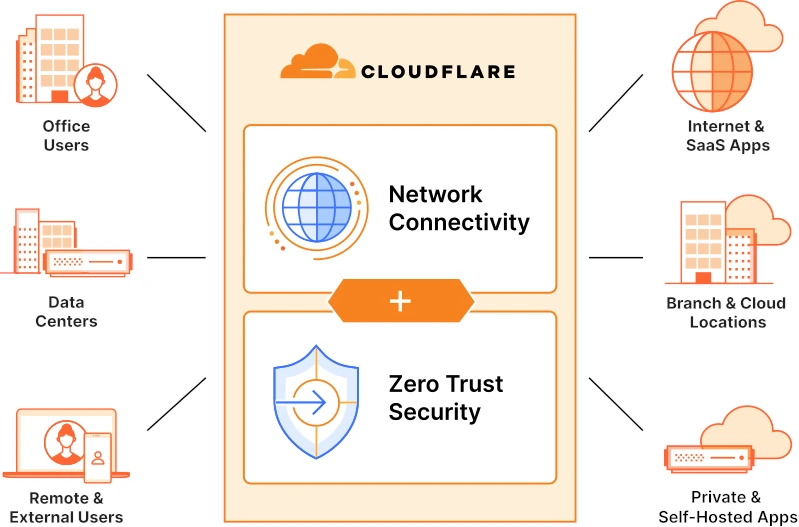
Introduction: Cloudflare Zero Trust Tunnel is a secure solution that enables you to connect your private infrastructure to Cloudflare’s network without exposing it to the public internet. This manual will guide you through the installation process of Cloudflare Zero Trust Tunnel using Docker with host network mode and a Cloudflare Token for authentication. Step 1: Log in to Cloudflare and Create a Tunnel Configuration Open a web browser and navigate to the Cloudflare website....

May 23, 2023 · 2 min · subzero

Install Jellyfin With Docker Compose

To install Jellyfin using Docker Compose, you will need to have Docker and Docker Compose installed on your system. If you don’t already have these tools installed, you can follow the instructions provided by Docker to install them on your system. Once you have Docker and Docker Compose installed, you can use the following steps to install Jellyfin using Docker Compose: Create a new directory for your Jellyfin installation, and navigate to that directory in your terminal....

December 16, 2022 · 2 min · subzero

Install Windows Update From Powershell

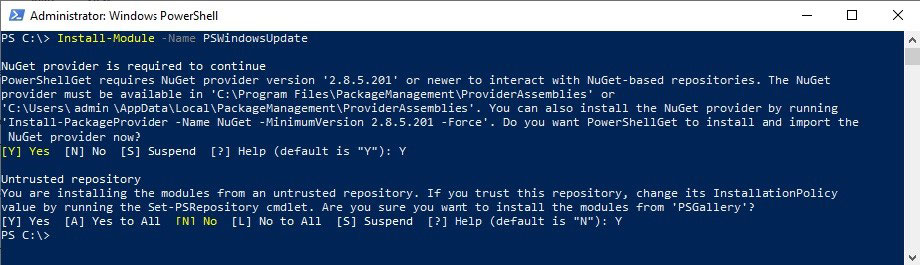
This guide will show how to install Windows updates from Powershell. Make sure the Execution Policies are allowed with this command Set-ExecutionPolicy -ExecutionPolicy RemoteSigned -Scope CurrentUser Or Set-ExecutionPolicy -Scope Process -ExecutionPolicy Bypass -Force The Get-WindowsUpdate command is not a native PowerShell command, but rather it is part of a PowerShell module called “PSWindowsUpdate”. This module provides cmdlets that allow you to manage Windows updates from the PowerShell command line. To use the Get-WindowsUpdate cmdlet, you will need to first install the PSWindowsUpdate module on your system....

December 15, 2022 · 1 min · subzero